Schema Markup: Strategic Tips for Optimising Your Website
Schema markup is structured data added to a webpage that helps search engines understand what the content is about. Where standard HTML tells a browser how to display content, schema markup tells Google what that content means. A page about a Belfast solicitor’s employment law services looks like text to a search engine without schema. With local business schema added, Google knows it is looking at a solicitor, based in Belfast, offering employment law services, with specific opening hours and contact details.
The practical benefit is that schema can produce rich results in Google search listings, including star ratings, FAQ dropdowns, business hours, and breadcrumb navigation. These enhanced listings take up more space in search results, provide more information before the click, and consistently achieve higher click-through rates than standard blue link listings.
Why Schema Markup Matters for Northern Ireland Businesses
For businesses in Belfast and across Northern Ireland competing in local search results, schema markup is one of the more underused advantages available. Most small and medium businesses have not implemented it, which means adding it correctly creates a visible difference in how your listings appear compared to competitors who have not.
A Derry-based accountancy firm with FAQ schema on their services pages can have their most common client questions appearing as expandable answers directly in Google search results, before the searcher even clicks through. A Belfast restaurant with review schema displaying star ratings in their listing stands out from competitors whose listings show only a title and description. A Newry solicitor with local business schema ensuring their address, phone number, and opening hours appear correctly in Knowledge Panel results has a more complete and credible local presence than one without it.
Schema also plays an increasing role in AI search. Google’s AI Overviews and other AI tools that generate responses from web content rely on structured data to understand and categorise what a page covers. A page with well-implemented schema is easier for AI systems to parse and reference accurately than one without.
The Schema Types Most Relevant to Northern Ireland Businesses
Local Business Schema
Local business schema is the most important schema type for any Northern Ireland business serving local customers. It tells Google your business name, address, phone number, opening hours, business category, and geographic area. When implemented correctly, this information can appear in the Knowledge Panel on the right side of search results when someone searches for your business by name, and supports your visibility in local pack results for relevant searches.
The schema should match exactly what appears on your Google Business Profile and your website. Inconsistencies between your schema, your website NAP, and your Google Business Profile create conflicting signals that can suppress local rankings. A south Belfast physiotherapy clinic whose schema shows a different phone number than their Google Business Profile is creating a verification problem for Google that is straightforward to fix but easy to overlook.
Example local business schema in JSON-LD format:
{
  "@context": "https://schema.org",
  "@type": "LocalBusiness",
  "name": "Henderson Physiotherapy",
  "address": {
    "@type": "PostalAddress",
    "streetAddress": "14 Lisburn Road",
    "addressLocality": "Belfast",
    "addressRegion": "Northern Ireland",
    "postalCode": "BT9 6AA",
    "addressCountry": "GB"
  },
  "telephone": "028 9066 1234",
  "openingHours": "Mo,Tu,We,Th,Fr 08:00-18:00",
  "url": "https://www.hendersonphysio.co.uk"
}
FAQ Schema
FAQ schema marks up question and answer content so Google can display it as expandable questions directly in search results. For Northern Ireland service businesses, this is one of the most practical schema types to implement because most service pages already contain or should contain answers to common client questions.
A Belfast HR consultancy whose services page answers questions like “Do I need an HR consultant if I have fewer than five employees?” or “What does an employment tribunal cost a Northern Ireland business?” can mark up those questions and answers with FAQ schema. When Google displays those questions as expandable results, the listing takes up significantly more space on the page and provides useful information that builds trust before the searcher clicks through.
FAQ schema works best when the questions reflect what your target customers in Northern Ireland actually search for, not generic industry questions. Check Google Search Console’s Performance report for the queries triggering impressions on your service pages. Those queries are the questions your potential customers are asking, and they are the ones worth including in your FAQ schema.
Review and Rating Schema
Review schema displays star ratings in search results for businesses that have accumulated reviews. For Belfast and Northern Ireland businesses in sectors where trust is a primary purchasing factor, such as healthcare, legal services, financial advice, and trades, visible star ratings in search listings directly affect click-through rates.
Review schema should only mark up genuine reviews collected on your own website. It should not be used to mark up reviews from Google or third-party platforms, as this violates Google’s structured data guidelines. If you have a testimonials section on your website with genuine client reviews, that content can be marked up with review schema. Fabricating or misrepresenting reviews in schema is a policy violation that can result in a manual action against your site.
Breadcrumb Schema
Breadcrumb schema tells Google the hierarchical structure of your website and produces breadcrumb navigation in search results instead of a full URL. For a Northern Ireland business with multiple service categories, breadcrumbs make the structure of the site visible in search results, helping searchers understand where a page sits within the site before clicking.
A Belfast legal firm whose search listing shows “Henderson Legal > Services > Employment Law” rather than a full URL gives the searcher clearer context about what they will find on the page. Yoast SEO generates breadcrumb schema automatically when the breadcrumb feature is enabled in the plugin settings.
Article and Blog Post Schema
For blog posts and informational content, article schema tells Google the author, publication date, and article headline. For a Northern Ireland SEO or digital marketing blog, this schema helps establish authorship and content freshness signals. Google uses publication and modification dates from article schema when assessing how current content is, which matters for topics that change frequently.
How to Implement Schema Markup in WordPress
For most Northern Ireland businesses using WordPress, schema markup does not require writing code manually. Yoast SEO generates local business schema, breadcrumb schema, and article schema automatically based on your site settings and content. Rank Math is an alternative that offers similar functionality.
To implement local business schema in Yoast SEO, go to Yoast SEO in your WordPress dashboard, then Organisation, and complete the business details including name, address, phone number, and business type. Yoast will generate and output the local business schema across your site automatically.
For FAQ schema, Yoast SEO supports FAQ blocks natively in the WordPress block editor. Adding a FAQ block to a service page automatically generates the correct FAQ schema for that content. The questions and answers entered in the block appear both as visible content on the page and as structured data that Google can display as rich results.
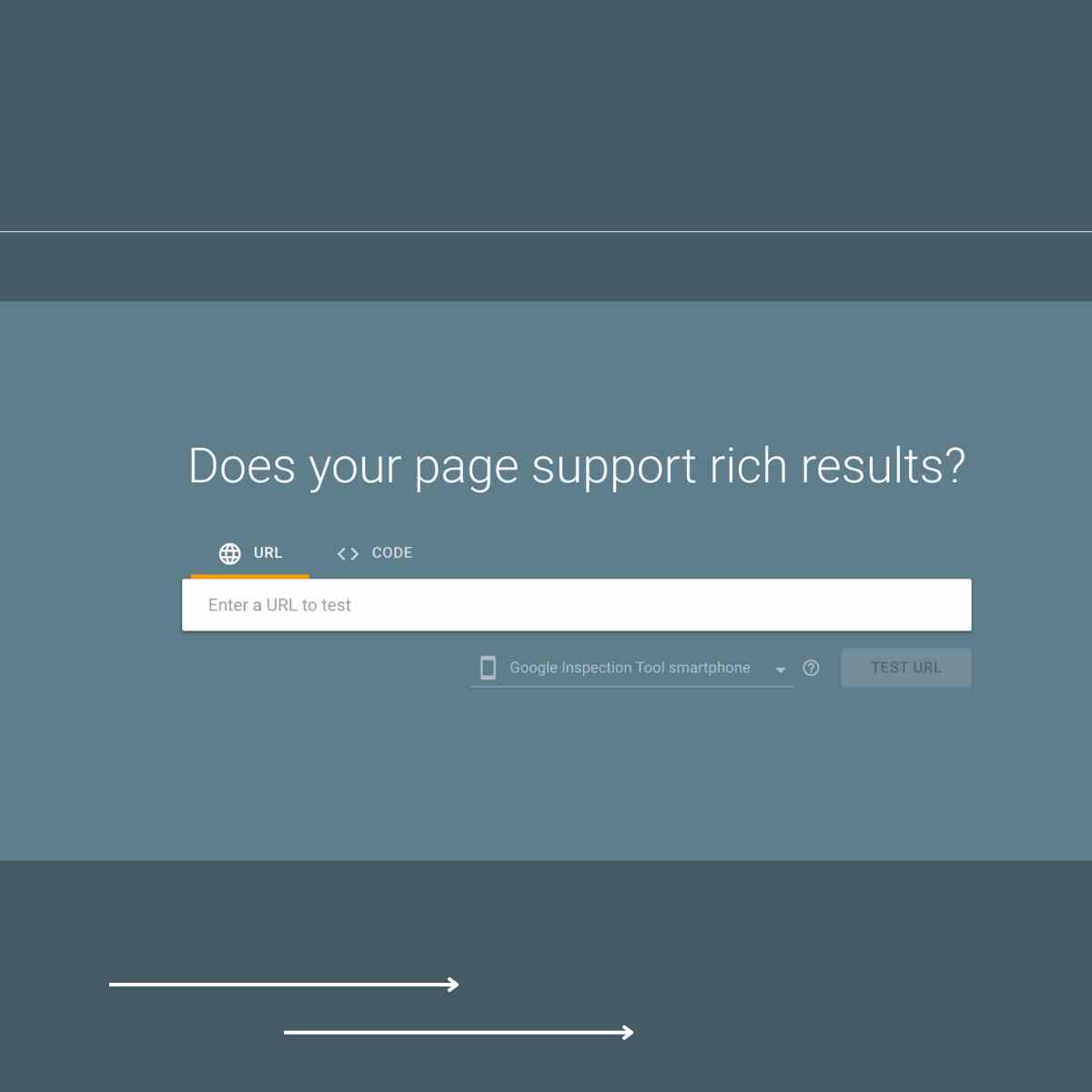
After implementing schema, validate it using Google’s Rich Results Test, which is available free at search.google.com/test/rich-results. Enter your page URL and the tool will show whether your schema is valid, what rich results it is eligible for, and flag any errors that need correcting. Google Search Console’s Enhancements section also shows schema errors across your whole site once Google has crawled your pages.
Common Schema Mistakes to Avoid
Marking up content that is not visible on the page is a policy violation. Schema should describe content that a user can actually see. Adding local business schema with an address that does not appear anywhere on the page, or marking up reviews that exist only in the structured data and not in the visible content, violates Google’s guidelines and can result in a manual penalty.
Using the wrong schema type produces structured data that Google cannot use. A Northern Ireland solicitor marking up their services page with Product schema instead of Service or LegalService schema is giving Google incorrect context about the page’s content. Schema.org provides a full list of available types and their properties, and Google’s developer documentation specifies which types are eligible for rich results.
Implementing schema and never checking it again is a common oversight. Business details change, pages are updated, and schema can break when themes or plugins are updated. A quarterly check of Google Search Console’s Enhancements report takes ten minutes and flags any schema errors that have developed since the last review.
Schema Markup and AI Search
As AI tools including Google’s AI Overviews increasingly generate direct answers and summaries from web content, structured data plays a growing role in how that content is identified and used. A page with well-implemented local business schema, FAQ schema, and article schema provides AI systems with explicit, machine-readable information about what the page covers, who produced it, and where the business is located.
For Northern Ireland businesses, this means that the same schema work that produces rich results in traditional search also improves the accuracy of how your business and content are represented in AI-generated responses. A Belfast accountancy firm with complete local business schema and FAQ schema on their services pages is giving AI tools clear, structured signals about their services, location, and expertise that an unstructured page cannot provide. You can read more about optimising for AI search in my guide to AI Search and GEO for Northern Ireland businesses.
Frequently Asked Questions
Schema markup is code added to a webpage that tells search engines what the content means rather than just what it says. It uses a standardised vocabulary from Schema.org to label content elements so Google can understand and categorise them accurately. The practical result is that schema can produce enhanced search listings including star ratings, FAQ dropdowns, business hours, and breadcrumb navigation.
Schema markup is not a direct ranking factor in the way that backlinks or on-page content are. Its primary benefit is producing rich results that improve click-through rates from the position you already hold. Higher click-through rates can indirectly influence rankings over time. Local business schema also supports the accuracy of your business information in Google’s Knowledge Graph, which contributes to local search visibility.
Local business schema is the most impactful starting point for any Northern Ireland business serving local customers. It establishes your business name, address, phone number, opening hours, and category in a format Google can read directly. FAQ schema on your key service pages is the next most practical addition, particularly if those pages already contain question and answer content that can be marked up without rewriting anything.
Use Google’s Rich Results Test at search.google.com/test/rich-results to check individual pages. Enter the page URL and the tool shows whether the schema is valid and what rich results it is eligible for. Google Search Console’s Enhancements section shows schema status across your whole site once Google has crawled your pages, including any errors that need correcting.
Yes. In WordPress, Yoast SEO generates local business schema, breadcrumb schema, and article schema automatically based on your settings and content. FAQ schema is added through the FAQ block in the WordPress block editor without any code editing. Rank Math offers similar functionality. For non-WordPress sites, Google Tag Manager can be used to deploy JSON-LD schema without editing the site’s source code directly.
Schema with errors is typically ignored by Google rather than penalised. The page will still appear in standard search results but will not be eligible for rich results. Errors flagged in Google Search Console’s Enhancements report should be corrected to ensure your schema is producing the rich results it is eligible for. Policy violations, such as marking up content not visible on the page, can result in manual actions against the site.
If you want help implementing schema markup on your site as part of a broader SEO review, an SEO audit covers structured data alongside technical and on-page factors. Alternatively, get in touch for a free consultation and I can advise on which schema types would make the most difference for your specific business.